Showing posts with label Graphics. Show all posts

Friday, December 30, 2011

Installing ipe 7 under OSX Lion

After having tried other solutions for my pdflatex graphics, I am reconsidering again ipe (see below my post about this very nice and useful program that allows you to put latex instructions in your drawings). My initial wanderings were motivated by the unavailability of a reliable ipe version under Snow Leopard. I have been able to compile a 6pre28 version (see below), but it was nor as reliable as I desired and it became completely unusable as soon as I have switched to Lion (mainly because of the Qt framework version I have used to compile it). I have also played with versions available in MacPorts and this is the solution I will propose to you for installing ipe7 under Lion.

Before starting: You will need to install XCode from the Mac AppStore and Commandline Tools for Xcode from the Apple developers website (you must register, but the registration is free and you can use your normal Apple/iTunes identity).

A/ Installing MacPorts. First of all, you must download and install MacPorts. It could look daunting at a first look, but the process is quite painless (if you already have MacPorts on your Mac, go to the step B below):
  1. You first download the dmg archive corresponding to your system (Lion for me) from the install page of Macports;
  2. Double-click on the downloaded MacPorts-2.0.3-10.7-Lion.dmg file to mount it in Finder and open it in the finder (I assume that you know how to use a dmg file);
  3. Switch in Finder to the folder corresponding to the dmg volume and double-click on c to launch the installer. You follow the instructions (they are very straightforward). MacPorts installs itself, by default, in /opt/local folder on your system hard disk.
  4. Once the installation finishes, restart your Mac to be sure that everything (PATH and all will be correctly fixed).
  5. When your system is back, open a Terminal session and type: « sudo port selfupdate » to update the repository of your macport installation with the list of the most recent packages (you will have to type your administrative password for this).
B/ Installing ipe and and ipe-tools. You are now ready to install ipe :
  1. You can check the availability of ipe, by typing « port search ipe »;

  2. You will get the list of all packages that have « ipe » as a part of their name. The two packages that interest us are: ipe @7.0.14 (graphics) (The Ipe extensible drawing editor, the main program) and ipe-tools @20110916 (graphics) (Tools for the Ipe extensible drawing editor, utility tools for converting old ipe drawings to ipe7 - see below about this point).

  3. You install them by typing in the Terminal:

    • sudo port install ipe

    • sudo port install ipe-tools

  4. The installation process will download other all necessary MacPorts packages, and it will take some time depending on the sped of your internet connection and of your Mac. If ever the process stop, you just relaunch the installation instruction. MacPorts will in general give you tips for solving the problem, if you meet any (generally it just works, you must be patient, that’s all).

  5. You will have a bunch of command in the /opt/local/bin folder now, and the ones which interest us are:

    • ipe (the main program, ipe7);

    • ipeextract (the utility for extracting ipe instruction from ipe created PDF or EPS files -> ipeextract myfile.pdf gives myfile.xml as output);

    • ipe6upgrade (the utility for upgrading ipe6 drawings to ipe7 format -> ipe6upgrade myfile.xml gives myfile.ipe as output);

    • These programs are supposed to be launched in the Terminal, but I have created solution for launching them from the Applications menu (using Platypus - see below; I will do another post on this point).

    • MacPorts will also install a MacPorts menu in your Applications menu. There will even be an « ipe » item in this menu and it will launch the program. You will be able to draw with it, but, since it does not correctly import the environment variables, you will not be able to run Latex from it. Everything works better if you launch ipe from the command line (or if you use the utilities I have developed using Platypus).

  6. Now you have a working version of ipe7 on your Mac. Have fun!

Sunday, January 23, 2011

A nice tool for presenting dynamic data for teaching: Gapminder


This time I will write on my first impression about a gorgeous teaching tool that I have discovered thanks to a TED video by Hans Rosling: Gapminder.
Gapminder is a web site that allows dynamic presentation of many interesting time series (economic indicators, demographics, education, technology). It is also possible to download an off-line version made with Adobe Air.
It is very straightforward to use (just click to select the data to show on both axes, for the size of the bubbles and the categorization (geographic regions, countries, etc.) for the coloring of the points. You can animate the evolution of the variables in time and show very lively graphs to your students.
In my courses on economic growth, I generally confront theories with empirics and this tool will give me much better speaking graphs.
Unfortunately, there is no way to include your data in the tool and the real utility of it will finally depend on the data sets you need. But GapMinder web site is kind enough to show how to animate your data using Google Motion Chart. I was not aware of the existence of this tool...

Tuesday, August 10, 2010

Compiling Ipe 6.0pre32 on Mac OS X 10.6 (Snow

Using these instructions proposed by Sherif Ghali on the ipe mailing list, I have been able to compile it for OSX 1.6.4. Thanks a lot Sherif!
You can read Sherif’s instructions on the IPE mailing list archives.

Sunday, April 02, 2006

Drawing figures for LaTeX - jpicEdt - Java Picture editor


jPicEdt
is a very user-friendly open source software for creating and editing your drawings for LaTeX documents. Its main strength is, in my opinion, its capacity to generate drawings based on the very nice package PSTRICKS. This is gives a very powerful environment for creating sophisticated drawings.
From the web site (www.jpicedt.org):
jPicEdt can generate LaTeX, eepic and PsTricks code from a user-friendly graphical interface! This may include:

* Every graphical element allowed by the picture environment commands: lines, arrows, circles, boxes.
* Emulated elements, for example lines of any slope (which LaTeX doesn't support natively), circles of any size, ellipses, arcs and polygons. This makes a strong use of the \multiput command.
* Nearly every object allowed by the epic/eepic packages (excluding grids and textured filling): dashed lines, filled (whitened, blackened or shaded) ellipses or polygons, arcs,... Using this package is optional.
* As of version 1.3.2, nearly every object allowed by the pstricks.sty package (this include : filling with colours, hatches, textures, setting various stroke parameters...). Support for pstnode.sty and other related packages is underway.

jPicEdt can parse LaTeX files that include a \begin{picture}...\end{picture} (or \begin{pspicture}...\end{pspicture}) block, and is able to interpret a great deal of commands, either LaTeX-, PsTricks- or eepic-compliant (this allows in particular to load files generated by GnuPlot with a gset term eepic command).
jPicEdt is written in JAVA. As a result, it can run on any platform where a JVM (Java Virtual Machine) is installed (nearly every Unix flavors, plus Window 9x/2000/XP and MacOS, at least...)


If you configure jpicEdt for compiling the drawings with LaTeX and dvips, you can very easily convert them to PDF for also using them with PDFLaTeX.

Friday, March 31, 2006

Drawing figures for Latex - Ipe extensible drawing editor


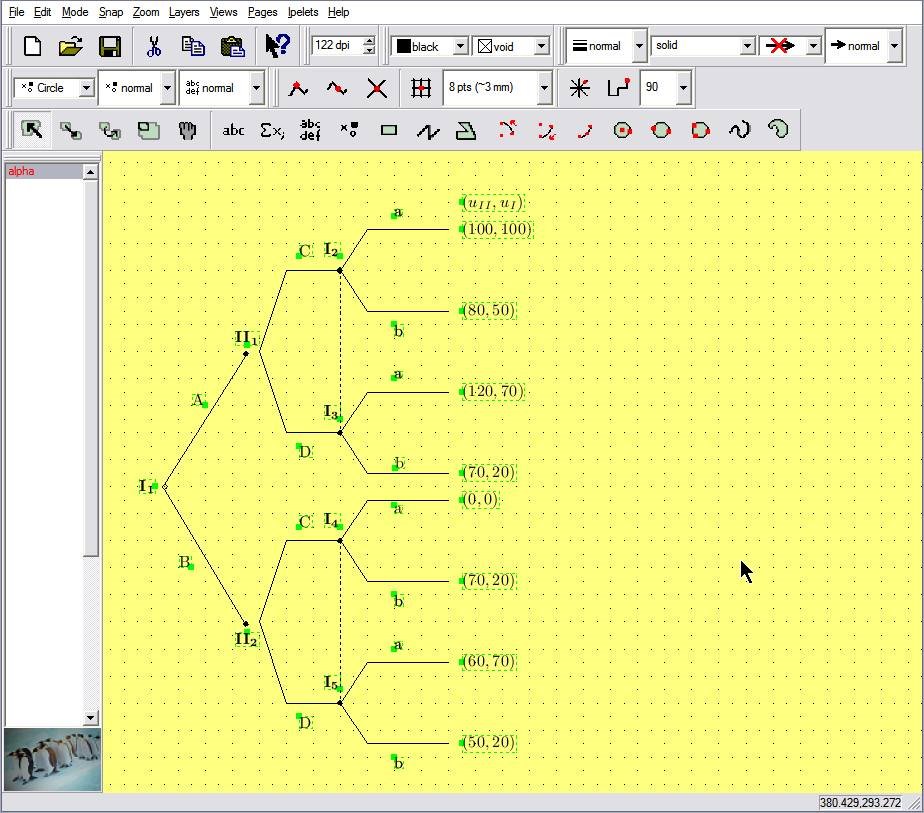
Ipe extensible drawing editor is a very nice tool for drawing figures for LaTeX. It is developed by Otfried Cheong. The source code and the binaries for Windows and Linux can be downloaded from ipe.compgeom.org.

The features of ipe are (from the web site):

* Entry of text as LaTeX source code. This makes it easy to enter mathematical expressions, and to reuse the LaTeX-macros of the main document. In the display text is displayed as it will appear in the figure.
* Produces pure Postscript/PDF, including the text. Ipe converts the LaTeX-source to PDF or Postscript when the file is saved.
* It is easy to align objects with respect to each other (for instance, to place a point on the intersection of two lines, or to draw a circle through three given points) using various snapping modes.
* Users can provide Ipelets (Ipe plug-ins) to add functionality to Ipe. This way, Ipe can be extended for each task at hand.
* The text model is based on Unicode, and has been tested with Korean, Chinese, and Japanese.
* The UI is implemented using the portable toolkit Qt, and so can be compiled for Unix, Windows, and Mac OS X (see below).
It can save its figures in the EPS (encapsulated Postscript) format for using with dvips or in the PDF format for using with pdflatex.

Ipe is not very simple to use since it has some special tricks (for example the transition between different modes can be cumbersome sometime), but it is very powerful for drawing even complex figures for LaTeX and it is now my main drawing software.